
 Original
 Free AI Clothes Changer Online
Use AI to change clothes, try different outfits, and create personalized looks for fashion, social media, shopping, and creative projects.
Model
1
Person Image
Required2
Clothes
Ratio
Resolution
Resolution
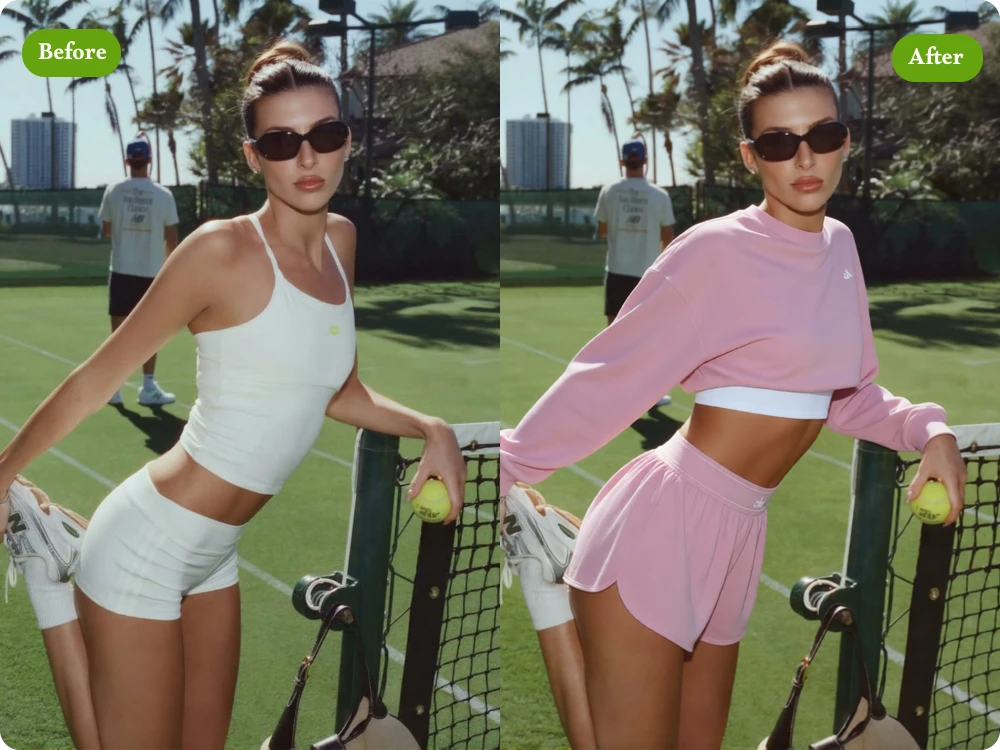
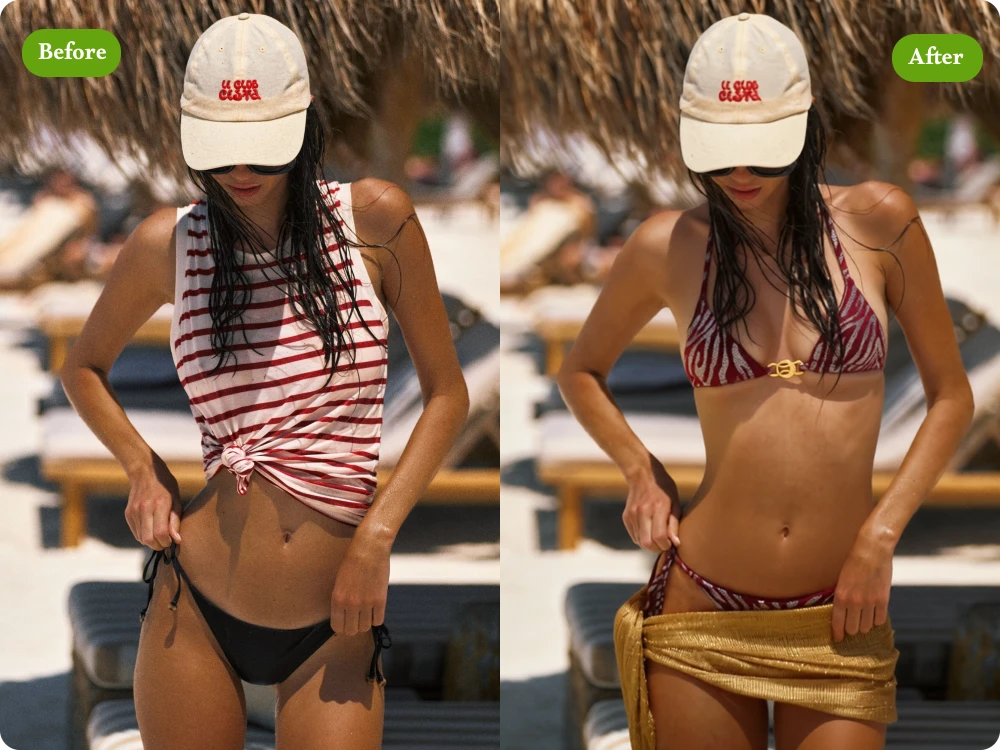
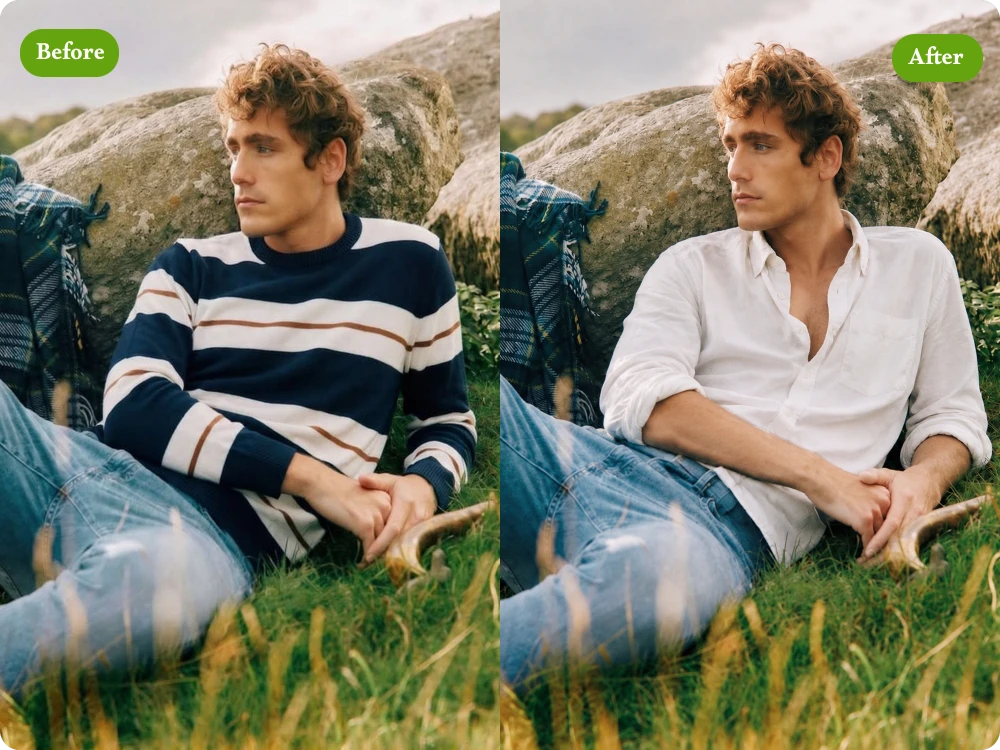
AI Clothes Changer Before & After
Original  Look 1
 Look 2
 Look 3
Change Clothes with AI in Three Simple Steps
Upload a Person Image
Start by uploading a person photo in PNG, JPG, JPEG, or WebP format. Images can be up to 24MB for easy AI clothes swapping.
Upload or Describe the Outfit
Add an outfit reference image or enter a prompt describing what you want to wear. Explore different clothing styles, colors, and combinations.
Refine or Download
Generate your AI clothes swap, review the result, and refine the outfit when needed. Download the final image in high quality with no watermark.
Create Better Outfit Changes with AI Clothing Changer
Change Clothes Without Changing Your Face or Pose
Changing an outfit should not mean changing the person. Our Clothes Changer AI preserves your facial features, body proportions, pose, and overall appearance while replacing the clothing, making the result feel like the same person simply wearing a different outfit.
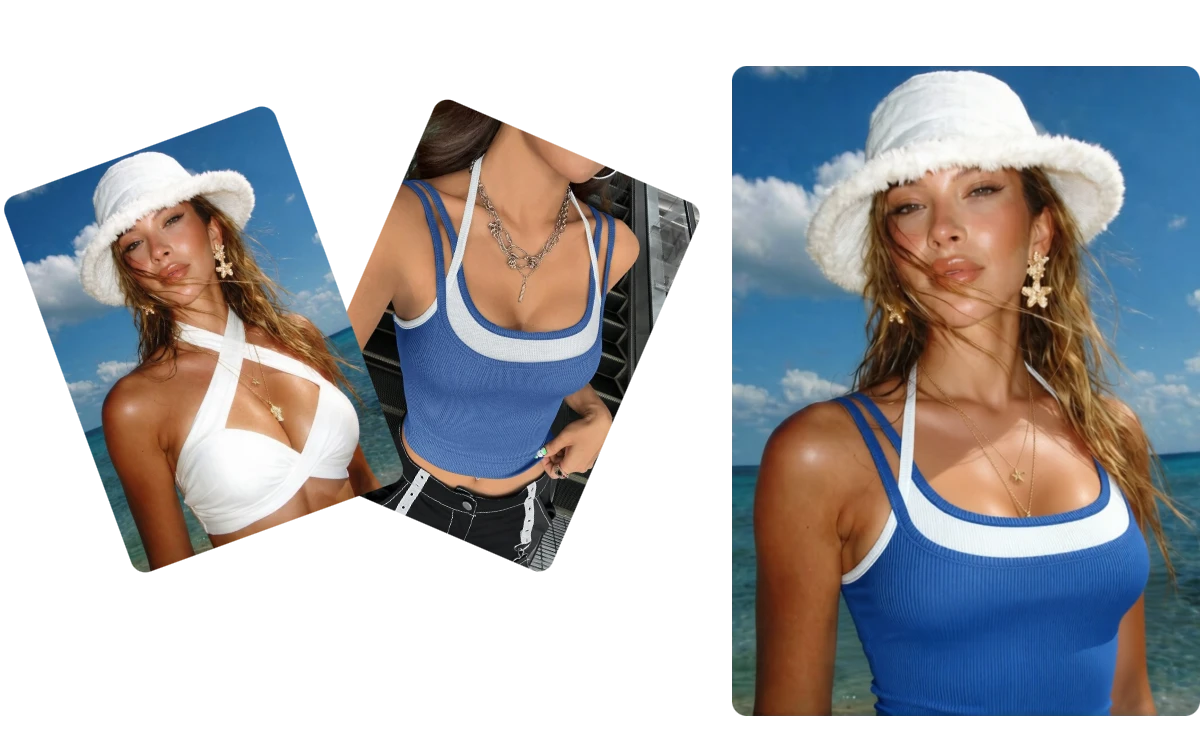
Explore Multiple Outfit Ideas from One Photo
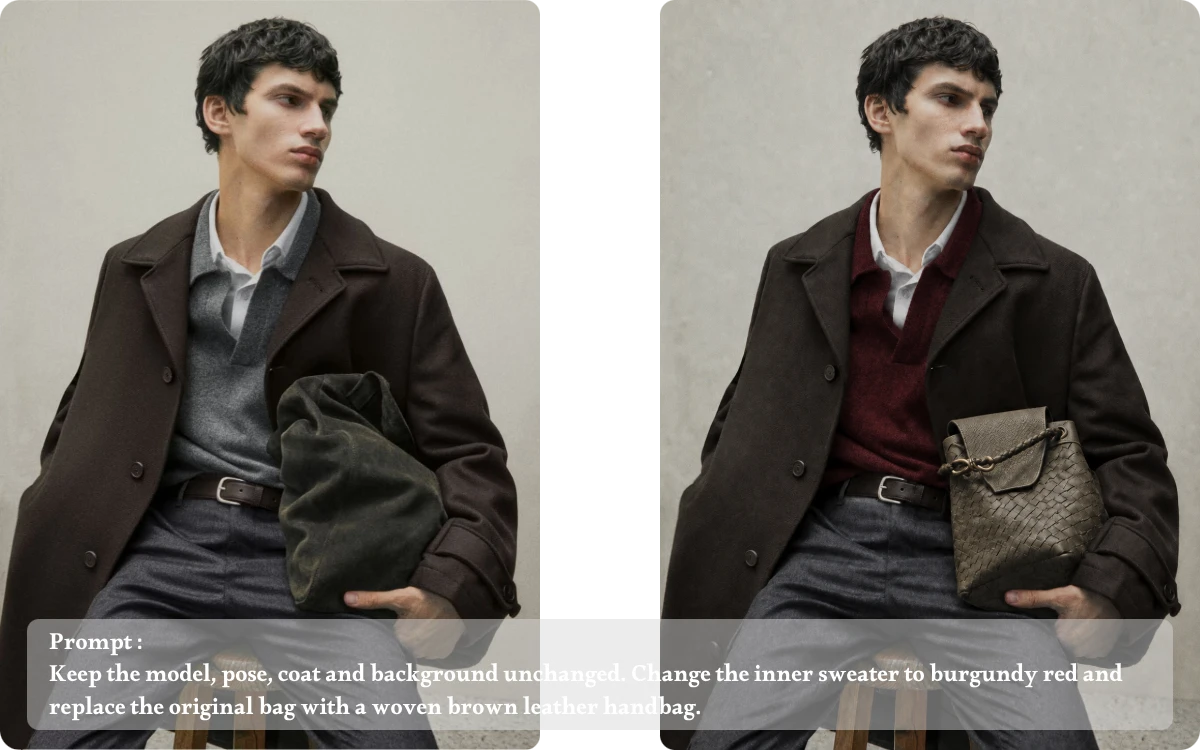
Sometimes you only need to replace one piece, not create an entirely new look. With AI clothes swap, you can target specific clothing such as shirts, dresses, jackets, or trousers while keeping other parts of the original outfit unchanged.
Change Specific Clothing Without Redesigning the Whole Outfit
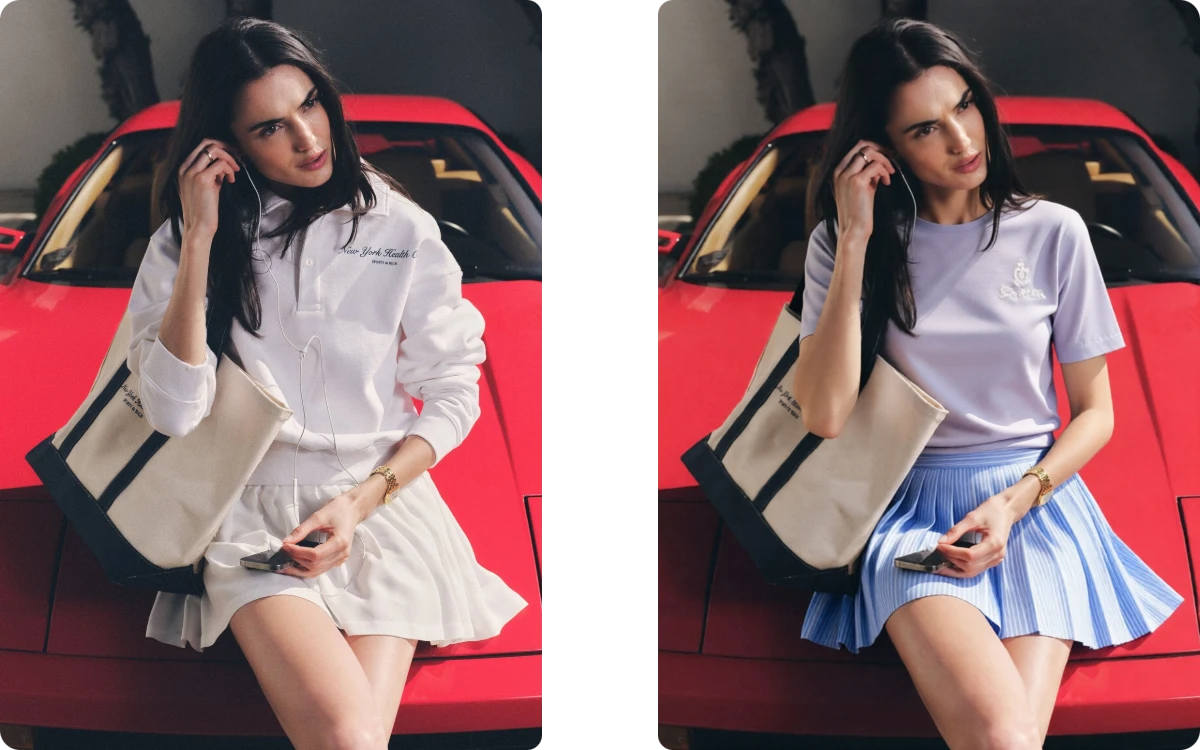
Your outfit is only part of the photo. Our virtual try on keeps the original background, lighting, shadows, framing, and overall composition, helping the new clothing fit naturally into the existing scene instead of making the entire image look AI-generated.
Keep the Original Scene Intact with AI Clothing Changer
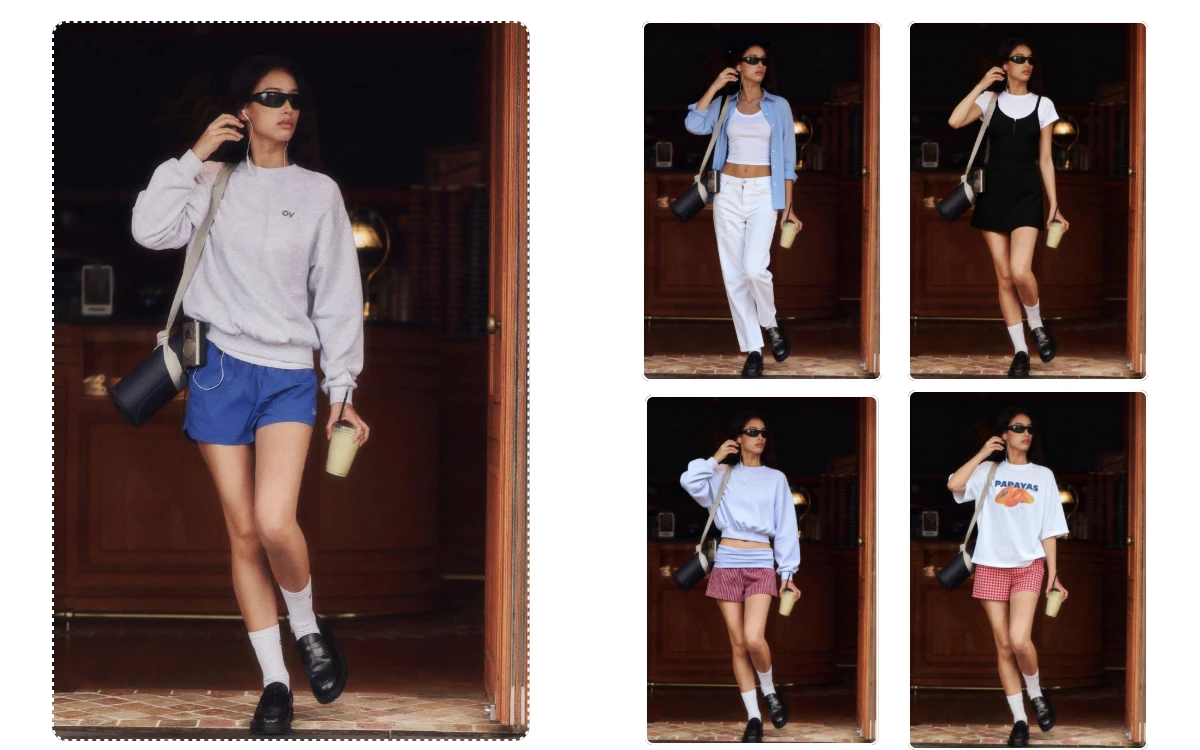
Finding the right outfit often takes more than one idea. Use our AI Outfit Generator to create different clothing options from a single photo, experiment with styles and colors, and compare multiple looks without repeatedly taking new pictures.
Real Reviews of Our Clothes Changer AI
"I needed several outfit variations for a weekend fashion post, but only had one usable photo. AI Clothes Changer helped me create different looks quickly without another shoot, giving me more content to publish."
ER
Emma Richardson
Fashion Content Creator
"Before ordering a jacket online, I uploaded my photo and tested several styles. Seeing the outfit on my own image helped me compare the looks and avoid buying something that did not suit my style."
NM
Noah Mitchell
Lifestyle Blogger
"While preparing a new collection, I wanted to visualize several outfit directions before finalizing the designs. The AI Outfit Generator let me test different combinations quickly and helped narrow down the strongest concepts."
OC
Olivia Carter
Fashion Designer
FAQ About Clothes Swap AI
An AI Clothes Changer lets you replace clothing in an existing photo using a text description, outfit reference, or both. It analyzes the person and requested outfit, then generates a new look while keeping important parts of the original image consistent.
Yes. The AI is designed to focus on the clothing area while preserving your facial features, hairstyle, body proportions, and pose. This makes it useful when you want to update an outfit without creating an entirely different-looking person.
Yes. You can describe the specific item you want to replace, such as a shirt, jacket, dress, skirt, or pair of trousers. This gives you more control when you want to change one part of an outfit while keeping the rest intact.
You can upload images in PNG, JPG, JPEG, or WebP format, with files up to 24MB. For better results, use a clear photo where the person's clothing is visible and the subject is not heavily obstructed.
No. You can use our AI Clothes Changer online without signing up or logging in. Simply upload your photo, add an outfit image or prompt, and start changing clothes directly in your browser.
Yes. You can try the basic AI clothes changing features for free without an account. We provide 5 free credits every day, so you can test different outfits and styles before deciding whether you need additional credits.
Yes. It can help shoppers preview outfit ideas, creators produce different looks, stylists explore styling options, and fashion teams create visual concepts. However, generated images should be treated as visual previews rather than guarantees of exact real-world fit or sizing.
Start Changing Clothes with AI
AI Clothes Changer gives you a simple way to change outfits, test new styles, and create realistic clothing variations from your existing photos. Try AI clothes swap online and create your next look in just a few clicks.